Inside the AECT AI Workstation: 96 Cores, 96GB Blackwell, Built in QLD
A look inside the AI workstation AECT designed, built and delivered in Queensland — 96 cores, dual-GPU headroom, NVIDIA RTX Pro 6000 Blackwell 96GB — and why it matters for 3DGS, 4DGS and geospatial AI workloads.

We just built and delivered an AI workstation, and it is the machine I have wanted to put in front of Australian AEC and geospatial teams for a long time. AMD, 96 cores and 192 threads. Support for up to 2TB of RAM. Designed from the ground up for dual-GPU, with an NVIDIA RTX Pro 6000 Blackwell Edition 96GB inside and genuine headroom for a second card. Built here in Queensland.
It is also built to do a lot more than process a scan. That is the part worth explaining properly, because most people still buy compute for the job they had last year rather than the workload they are walking into.
A quick look at the AECT AI workstation — AMD 96-core, NVIDIA RTX Pro 6000 Blackwell 96GB.
The build, and why each part is there
- →AMD CPU — 96 cores / 192 threads. Point cloud registration, mesh generation and data prep are heavily parallel jobs. Core count is what turns an overnight process into a same-day deliverable.
- →2,050W Platinum PSU — genuine dual-GPU headroom for two RTX Pro 6000s, not a single-card compromise. Two high-end cards plus a 96-core CPU under sustained load will walk straight past what a typical 1,000-1,600W supply can hold. Platinum efficiency also means less waste heat dumped into the chassis.
- →8x DDR5 RDIMM slots, expandable to 2TB — 6 slots left free. You can grow the machine later without throwing away the memory that is already installed. Registered DDR5 is what makes capacity at that scale stable in the first place.
- →NVIDIA RTX Pro 6000 Blackwell Edition, 96GB — 24,064 CUDA cores, 752 Tensor cores, 188 RT cores, 125 TFLOPS FP32, 4,000 AI TOPS, 96GB GDDR7 ECC, 512-bit bus, 1,792 GB/s memory bandwidth, PCIe 5.0. Air-cooled, no liquid loop required.
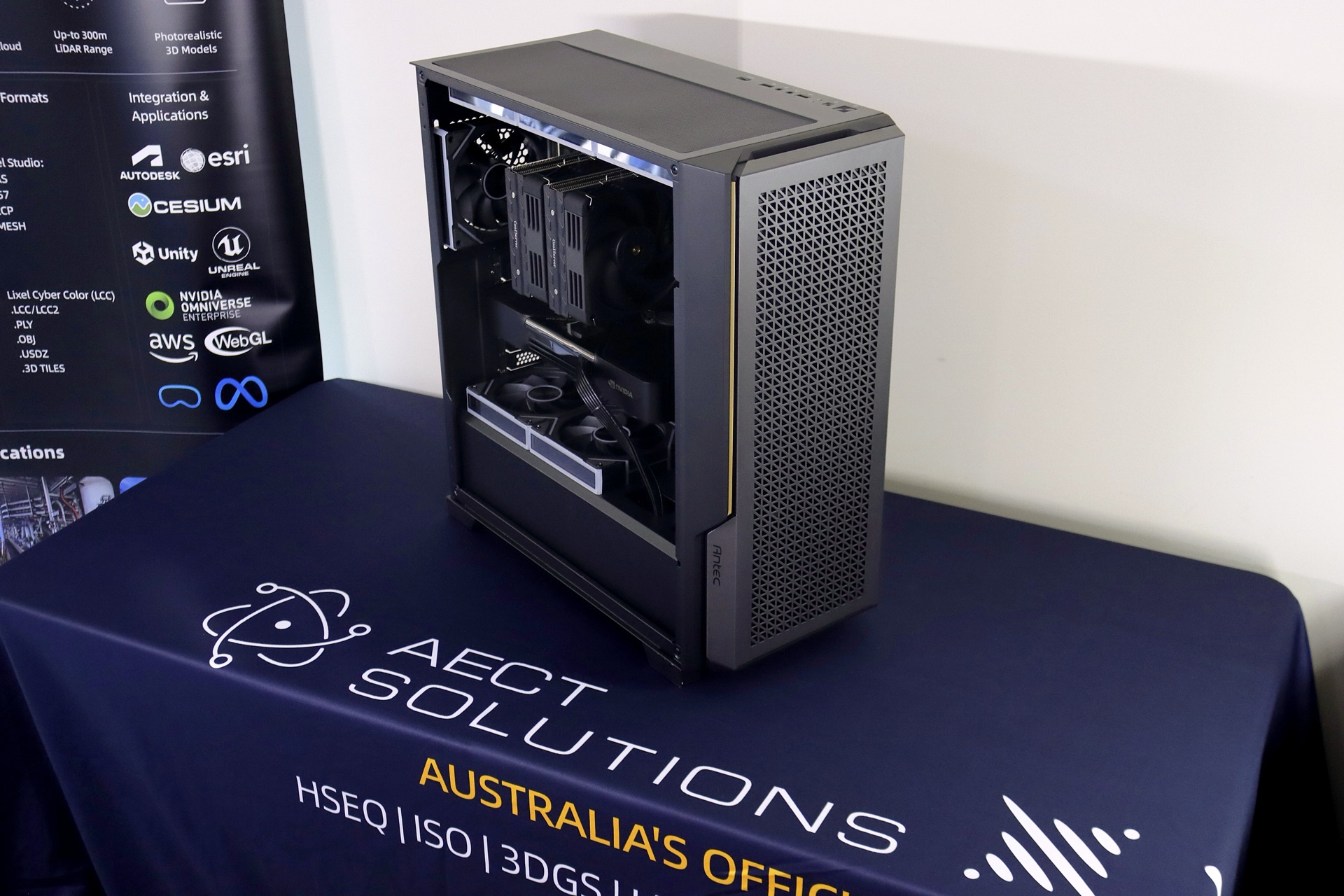
The build up close — dual-GPU headroom, 8 free RDIMM slots, air-cooled.
Why 96GB of VRAM is the number that matters
For 3D Gaussian Splatting work, VRAM capacity is usually the wall you hit first, not raw GPU speed. Scene size, splat count and training resolution all scale with available video memory. When you run out, the job does not slow down gracefully. It fails, or you start cutting the scene into pieces and stitching compromises back together. 96GB of GDDR7 with 1,792 GB/s of bandwidth changes the conversation from what can I fit to what do I actually want to deliver.
The ECC part matters too. On long training runs and large geospatial datasets, a single flipped bit is not a cosmetic issue. Error-correcting memory is the difference between a result you can hand to a client and a result you have to re-run.
Air-cooled on purpose
No liquid loop required. For a machine that lives in an office or a site cabin rather than a data centre, that is a serviceability decision as much as a thermal one. Fewer failure points, less maintenance, nothing to leak over a project deadline.
This is a machine built for full potential — physical AI, agentic AI, LLM workloads, geospatial intelligence, 3DGS, 4DGS and scan-to-simulation, all on the same box.
One box, many workloads
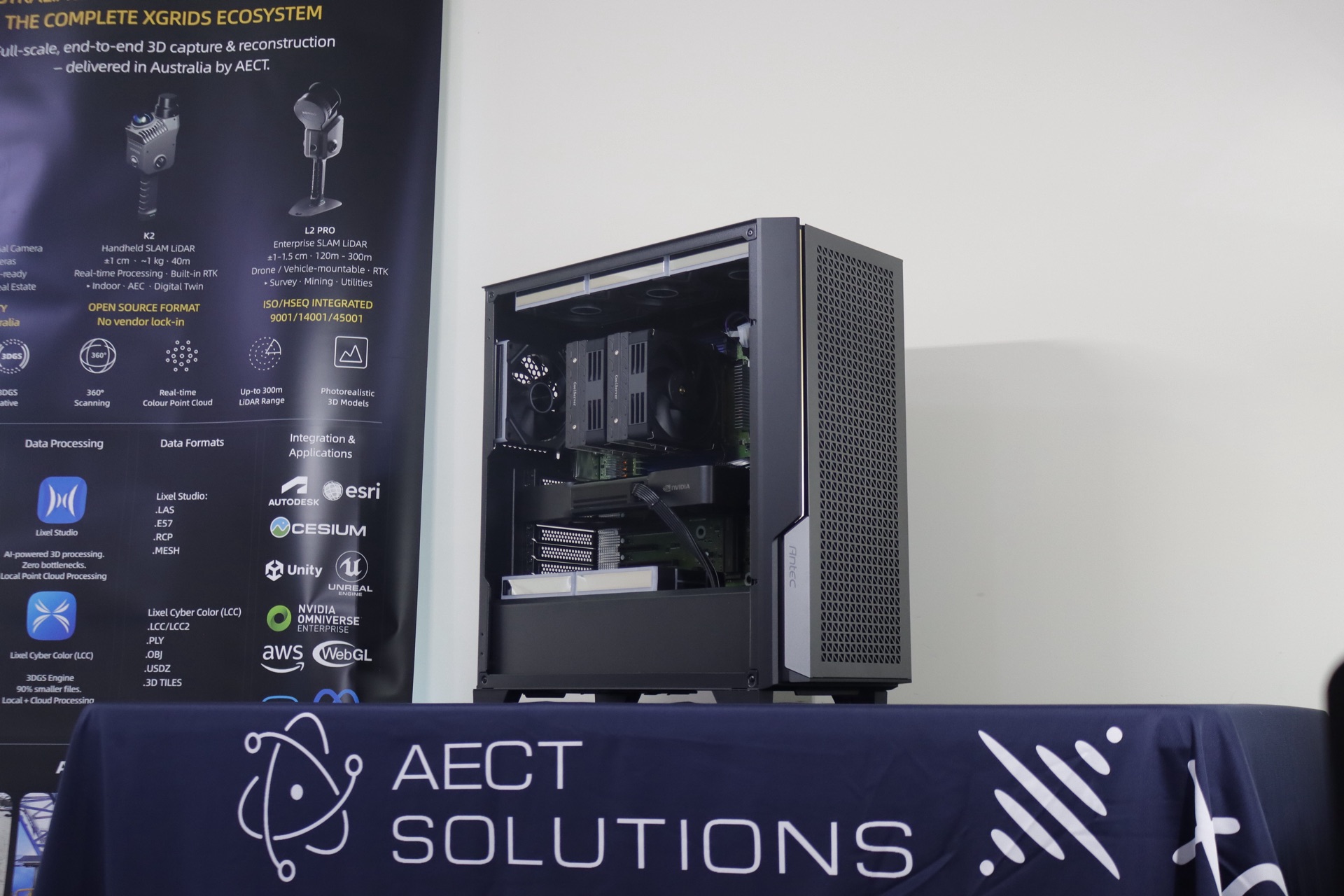
One box, the complete XGRIDS ecosystem — capture through to reconstruction.
The reason we specified it this way is that the workloads our clients run are converging. The same organisation that wants a reality capture pipeline this quarter wants to run local LLM inference next quarter, and wants scan-to-simulation after that. Splitting those across three underspecified machines is how teams end up with three bottlenecks instead of one capable asset.
On this build, the same hardware handles physical AI and agentic AI work, LLM workloads, geospatial intelligence, 3DGS and 4DGS reconstruction, and scan-to-simulation and digital twin pipelines. The headroom is the product. Six free RDIMM slots and a PSU sized for a second GPU mean the machine grows with the workload instead of being replaced by it.
The part that actually matters: we did not just ship it
Anyone can put parts in a case and courier it. What we did was different, and it is the reason I am writing this at all.
Every driver, every firmware tune, every connected device and every scanner activation was stress-tested internally before the machine left our hands. Then it was delivered in person, with face-to-face training and testing on site. Not a video call and a PDF. On site, with the operator, running their actual workflow.
I have spent enough years in HSEQ and on construction sites to know how this usually goes. Hardware arrives, a driver conflict surfaces on day one, a licence will not activate, and the team quietly goes back to the old process while someone opens a support ticket. The capability was purchased. It was never commissioned. That gap is where budget goes to die.
That is the difference between a box and a solution. That is AECT confidence.
Frequently Asked Questions
What hardware do you need for 3D Gaussian Splatting and large geospatial AI workloads?
The three things that matter most are GPU VRAM, CPU core count and system memory. VRAM is the usual constraint for 3DGS and 4DGS reconstruction, because scene size and splat count are limited by what fits on the card — the workstation described here uses an NVIDIA RTX Pro 6000 Blackwell Edition with 96GB of GDDR7 ECC and 1,792 GB/s of bandwidth. High CPU core count (this build runs 96 cores and 192 threads) accelerates the parallel stages of point cloud processing and data prep. Large, expandable system RAM (8 DDR5 RDIMM slots, up to 2TB) keeps very large datasets resident instead of paging to disk. If you also intend to run LLM or physical AI workloads on the same machine, specify the power supply for dual-GPU from the start — a 2,050W Platinum unit gives real headroom for a second card rather than forcing a single-card compromise later.
We build and commission these systems here in Queensland, and we tune them around the workflows they are actually going to run — reality capture, 3DGS and 4DGS reconstruction, geospatial intelligence and digital twin delivery. If your team is scoping compute for that kind of work and you would rather talk specifics than spec sheets, get in touch and I will walk you through what we built and why.
Related Articles
Talk to Our Team
Every article is backed by real project experience. Book a discovery call and let's discuss your specific project.